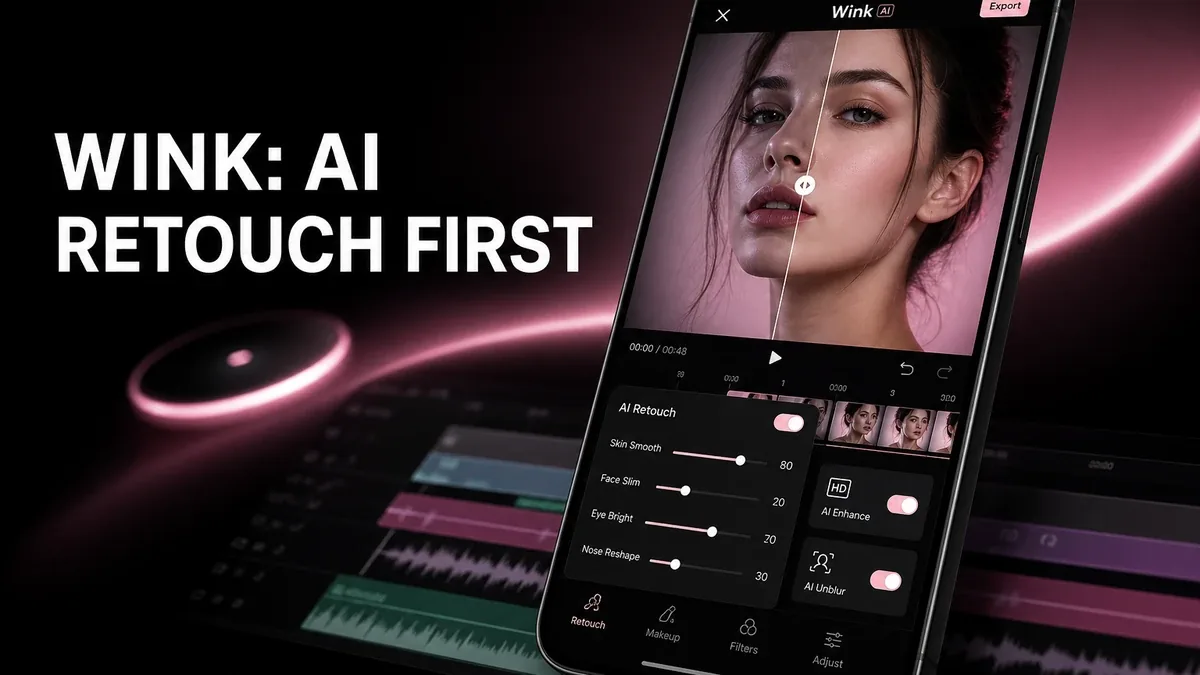
CapCut and InShot assume the clip is already usable. Wink assumes the video still fails basic quality — soft faces, low light, weak resolution — and needs AI retouch or upscale before any timeline creativity pays off.
Download Wink MOD APK - Unlocked
Wink · AI Video Retouch · 4K Upscale · Beauty Video · Android 2026
The Real Split Is Video Quality Repair vs Creative Editing
Remini-class tools recover still photos. Most mobile NLEs layer sound, text, and cuts on footage that is already acceptable. Wink sits between: AI face/body retouch on moving frames, unblur and resolution boosts, 4K-oriented export paths for social upload when the source was phone-grade or older and soft.
The core thesis of this article is simple: Wink is better when the unfinished job is making faces and clip quality usable on video, while CapCut or InShot remain better when quality is already fine and the unfinished job is captions, cuts, or posting packaging. The core trade is AI retouch fidelity against less power as a full end-to-end edit suite.
When the Source Clip Fails Before Any Caption Helps
Concrete Wink job: a selfie video shot under kitchen lights looks mushy and uneven; AI face smooth and light cleanup make eyes and skin read correctly at 1080p before you add music. Caption apps cannot invent that clarity.
Second job: an old 720p clip gets upscaled/sharpened for a 4K export target so vertical feeds do not look muddy after re-encode. The timeline is still simple; the quality pass is the product.
Photo restoration covers still archives, not continuous face tracking across frames. See when Remini is the right photo app. Creative video work belongs to CapCut-class tools after the source no longer embarrasses the face.
What Wink Actually Does Better
Wink MOD APK is the right pick when AI video enhancement — face retouch, body sculpt on video, unblur, quality restore, watermark-free high-res export on unlocked builds — is the missing step in the mobile pipeline.
What you gain: usable beauty/quality fixes on moving portraits and soft sources before social packaging.
What you lose: full trend-production depth. Wink is not the best home for multi-track caption shows and weekly effect libraries.
Wink is strongest as a quality/retouch front-end for short vertical clips. It is weaker when the only need is trim+text on already clean footage.
Best For, Not Ideal For
Wink is best for: creators whose phone videos fail on face clarity, skin, blur, or resolution before any social edit.
CapCut is better when: the camera image is already fine and captions, effects, and timeline structure are the unfinished work. See CapCut vs packaging comparisons on the CapCut decision page when published, or start from InShot/VN posting-depth articles.
Remini is better when: the asset is a still photo archive, not a video.
Not ideal for Wink: product demo videos that need hard cuts only, or users who dislike AI beauty looks on faces.
Biggest cost: processing weight and look trade-offs. The unit of cost is render time and possible over-smoothing, not missing a music library alone.
Before You Choose Wink
Before choosing Wink, watch the raw clip full-screen. If faces already look clean, skip to CapCut/InShot. If faces soft and light fail first, quality repair is the lane.
For install friction, keep the APK parsing error fix and the MOD APK safety guide nearby.
Our Honest Recommendation
Choose Wink when video quality and face retouch are the bottleneck. Choose CapCut or packaging editors when the footage is already strong enough to cut and caption.
In short: Wink is better for repairing soft portrait video. Creative editors are better for storytelling overlays on clean sources.
How to Download Wink MOD APK
Since the modded version is not available on the Google Play Store, you need to install it manually. Follow these steps:
- Enable Unknown Sources: Open Android settings, go to "Security" or "Apps," and enable "Install from Unknown Sources."
- Download the APK: Use the app page link to get the latest Wink MOD APK version.
- Remove Conflicting Versions: Uninstall the official Wink build first if installation fails due to signature conflict.
- Install the APK: Tap the downloaded file and complete installation.
- Judge It on Faces at Full Screen: Process one soft selfie video and re-export. If only text and stickers were missing, you needed CapCut — not Wink.
Wink earns space if face and quality become publishable. Timeline effects alone cannot fix a mud clip.
FAQ
Is Wink the same as CapCut?
No. Wink prioritizes AI video quality and retouch. CapCut prioritizes production tools like captions, effects, and multi-track edits.
Who should use Wink?
Creators whose short vertical clips fail first on soft faces, blur, or low resolution rather than missing text overlays.
When is Wink the wrong choice?
When the source is already clean, or when the project needs full multi-track trend production more than beauty repair.
What is the biggest trade-off with Wink?
You gain stronger quality/retouch on video, but you give up CapCut-level production surface for captions and effect libraries.
If the phone video fails on face clarity before any caption matters, Wink is one of the clearer high-demand AI video retouch options on Android.