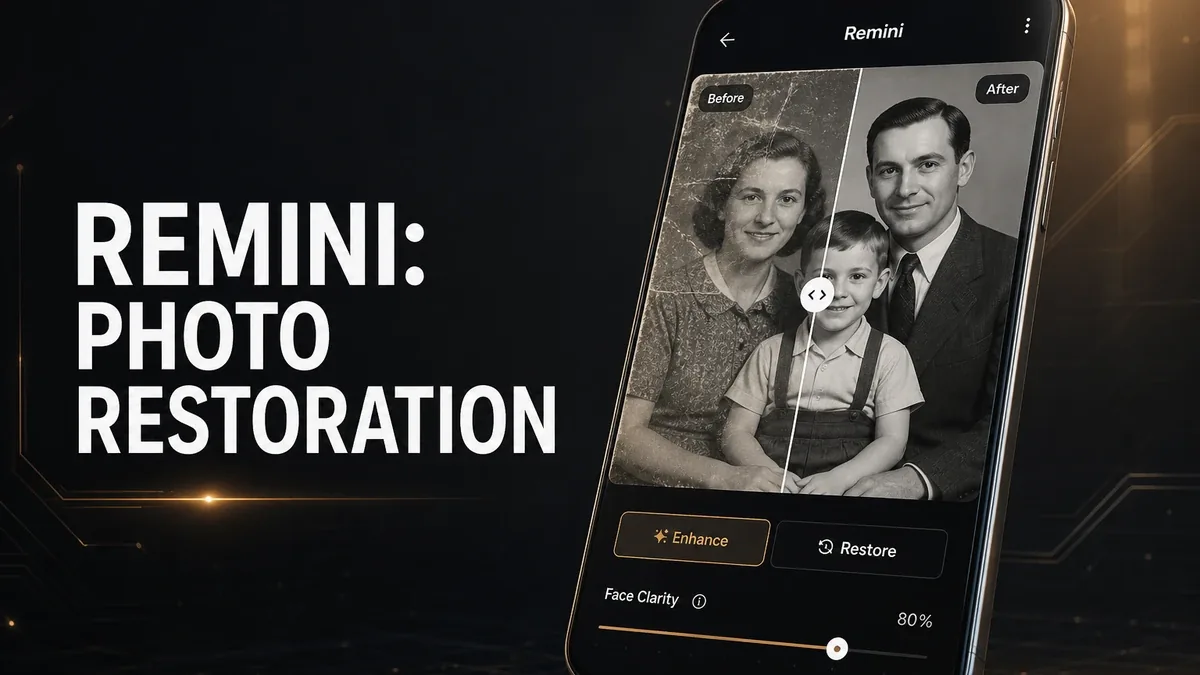
Creative editors assume the photo is mostly usable and needs color, crop, or polish. Restoration apps assume the opposite: the image is damaged, blurry, or too low-resolution to edit in the usual way until quality is recovered first.
Download Remini MOD APK - Premium Unlocked, No Ads
Remini · AI Photo Restoration · Lightroom Alternative · Android 2026 · Decision Guide
The Real Question Is Restoration First vs Creative Correction
Most Android photo comparisons still start with filters, presets, and design tools. That works when the picture is already clear enough to style. It fails when the source is an old scan, a compressed chat photo, a soft face from distance, or a low-resolution archive image that still needs to become readable before any creative pass matters.
The core thesis of this article is simple: Remini is better when your job is recovering usable quality from weak source photos, while Lightroom or Pixlr remain better when the image is already clear enough for color control or creative editing. The right app is not the one that makes every photo look dramatic. It is the one that matches whether the unfinished part is damage and blur, or taste and correction.
Why Weak Source Photos Need a Different Kind of App
A color grader can improve a photo that already has enough detail. A template or collage app can package a photo that already looks presentable. Neither workflow helps much when eyes are mushy, faces are soft, or an old print has lost the clarity you need to recognize the moment.
That is a restoration problem. Remini sits closer to recovery than to creative development. Users open it because the photo fails at the quality layer first: too blurry, too small, too damaged, or too compressed for ordinary editing to feel worth doing.
If the photo is already sharp and the unfinished work is exposure, HSL, masking, or compositing, restoration is the wrong first tool. Start with a photo-first editor instead.
What Remini Actually Does Better
Remini MOD APK makes more sense when the decision starts with salvage. Old family photos, blurry portraits, low-resolution keepsakes, and compressed social saves are the jobs where recovering detail matters more than building a look.
What you gain: a faster path from unusable or barely usable source images to something clear enough to keep, share, or finish later in another editor.
What you lose: creative depth. Remini is not a substitute for Lightroom-style color control or Pixlr-style layer work once the image is already good enough.
Remini is strongest as a recovery step. It is weaker when users treat AI enhancement as the whole photography workflow for every picture.
Best For, Not Ideal For
Remini is best for: users restoring old photos, improving blurry or low-resolution portraits, and recovering clarity before any creative edit.
Lightroom or Pixlr are better when: the source is already clear and the unfinished job is color, tone, cleanup, or compositing. See Lightroom vs Pixlr and why Pixlr still matters.
Not ideal for Remini: users who mainly need product cutouts, design assets, or deliberate color grading on already-sharp photos. For cutouts, compare Photoroom vs Pixlr.
Biggest cost: job mismatch. Restoration tools can feel magical on damaged photos and unnecessary on images that only needed ordinary editing.
Before You Choose Remini
Before choosing Remini, ask whether the photo fails because it is damaged or soft, or because it still needs creative correction. If clarity itself is the blocker, Remini is the clearer first step. If the photo is already readable, start with a broader editor.
For a wider map of mobile editing jobs, see best Photoshop alternatives for Android. For install friction, keep the APK parsing error fix and the MOD APK safety guide nearby.
Our Honest Recommendation
Choose Remini when recovering usable quality from weak source photos is the real job. Stay with Lightroom or Pixlr when the image is already clear enough for creative correction.
In short: Remini is better for restoration-first work. Creative editors are better once the photo is already readable.
How to Download Remini MOD APK
Since the modded version is not available on the Google Play Store, you need to install it manually. Follow these steps:
- Enable Unknown Sources: Open Android settings, go to "Security" or "Apps," and enable "Install from Unknown Sources."
- Download the APK: Use the app page link to get the latest Remini MOD APK version.
- Remove Conflicting Versions: Uninstall the official Remini build first if installation fails due to signature conflict.
- Install the APK: Tap the downloaded file and complete installation.
- Test a Real Weak Source: Enhance one blurry or old photo and ask whether restoration made later editing possible, or whether a normal editor would have been enough.
A restoration app is only the right first tool if the source image fails at clarity. If the photo is already sharp, start with correction instead of enhancement.
FAQ
Is Remini better than Lightroom?
Not for creative grading. Remini is better when the photo needs quality recovery first. Lightroom is better when the image is already clear enough for color and tone work.
Who should use Remini?
Users restoring old photos, blurry portraits, or low-resolution keepsakes that are not yet clear enough for normal editing.
When is Remini the wrong choice?
When the photo is already sharp and you mainly need color control, compositing, cutouts, or design packaging.
What is the biggest trade-off with Remini?
You gain a strong restoration path for weak sources, but you lose the deeper creative control that dedicated photo editors provide after clarity is already good.
If the photo fails before editing even begins, Remini is one of the clearer Android options for restoration-first work.